NoxCloak: VPN plus network diagnostics for Android users
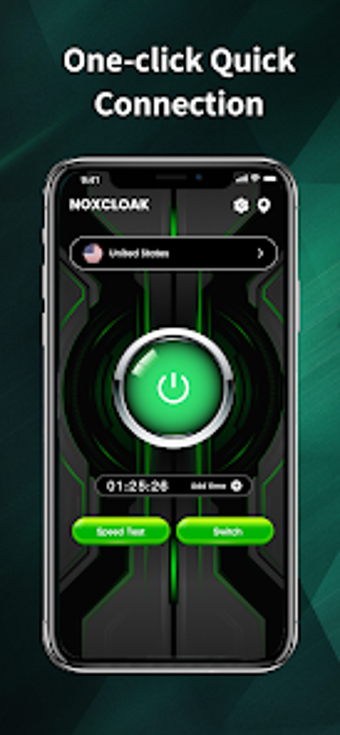
Experience NoxCloak, an Android privacy and network toolkit by Shaanxi Shengcheng Zhiyuan Trading Co. Ltd for protecting mobile internet traffic. It combines an encrypted VPN proxy, global server selection, and one-tap connections to encrypt traffic, bypass regional blocks, and route mobile data through chosen nodes. Includes speed tests, IP lookup, real-time network statistics with one-tap controls and global node list. Aimed at Android users who want straightforward privacy tools plus diagnostics for monitoring mobile network performance.
NoxCloak packages tunneling and diagnostics together for mobile privacy
The app is positioned as a hybrid utility that merges traffic tunneling with network insight. It sets up an encrypted tunnel using the VPN_SERVICE permission, offers a list of worldwide nodes, and exposes live connection metrics. Practical outputs include an IP lookup and bandwidth measurement tools, presented inside the same workflow so users do not need separate apps to check address, latency, or throughput.
Its design aims to keep operational impact modest during active connections
NoxCloak includes built-in acceleration intended to improve routing while a protected connection is active, and offers live statistics so users can observe throughput and stability. The app targets current Android phones running on the stated requirement, and its diagnostics let you monitor how different nodes affect latency and download/upload capacity without forcing constant manual switching.
The app uses standard Android VPN permissions to secure traffic
Protection is implemented through an encrypted tunnel created by the VPN service, which provides end-to-end data encryption for traffic routed through selected nodes. The developer is known for other privacy tools, which suggests a focus on protection models. Users should note the explicit permission requirement for VPN operation when evaluating risk versus benefit.
The interface supports quick protection for casual users while offering technical metrics
The app emphasizes a simplified connect flow to reduce configuration steps, while diagnostic panels surface detailed network readings for power users. Casual users can engage protection with minimal setup, whereas interpreting packet loss, jitter, or throughput trends requires some networking knowledge; the app leaves those readings exposed rather than translating them into prescriptive actions.
NoxCloak fits privacy-conscious Android users who value diagnostics
NoxCloak is a practical option for Android users who need encrypted connections alongside live network monitoring; it combines protection and measurement in one mobile tool. The primary trade-off is maturity, since the app is a recent release with a modest install base, so those who require long-term ecosystem assurance should weigh that before relying on it exclusively. A sensible tip: run the speed test after switching nodes to compare real-world results.